
Game-Based Builder vs Custom Builder: Which Should You Use?
After building RigSync's different PC builders, I keep getting asked the same question: "Which one should I actually use?" The answer isn't as simple as "use the advanced one" or "start with the basic one." It depends on your computing needs.
I built multiple builders because people have different needs. Some want to pick games and get results. Others want full control over every detail. Let me break down when each approach actually makes sense.
Game-Based Builder: For When You Just Want to Game
Best for: First-time builders, console converts, people who want gaming optimization without the research
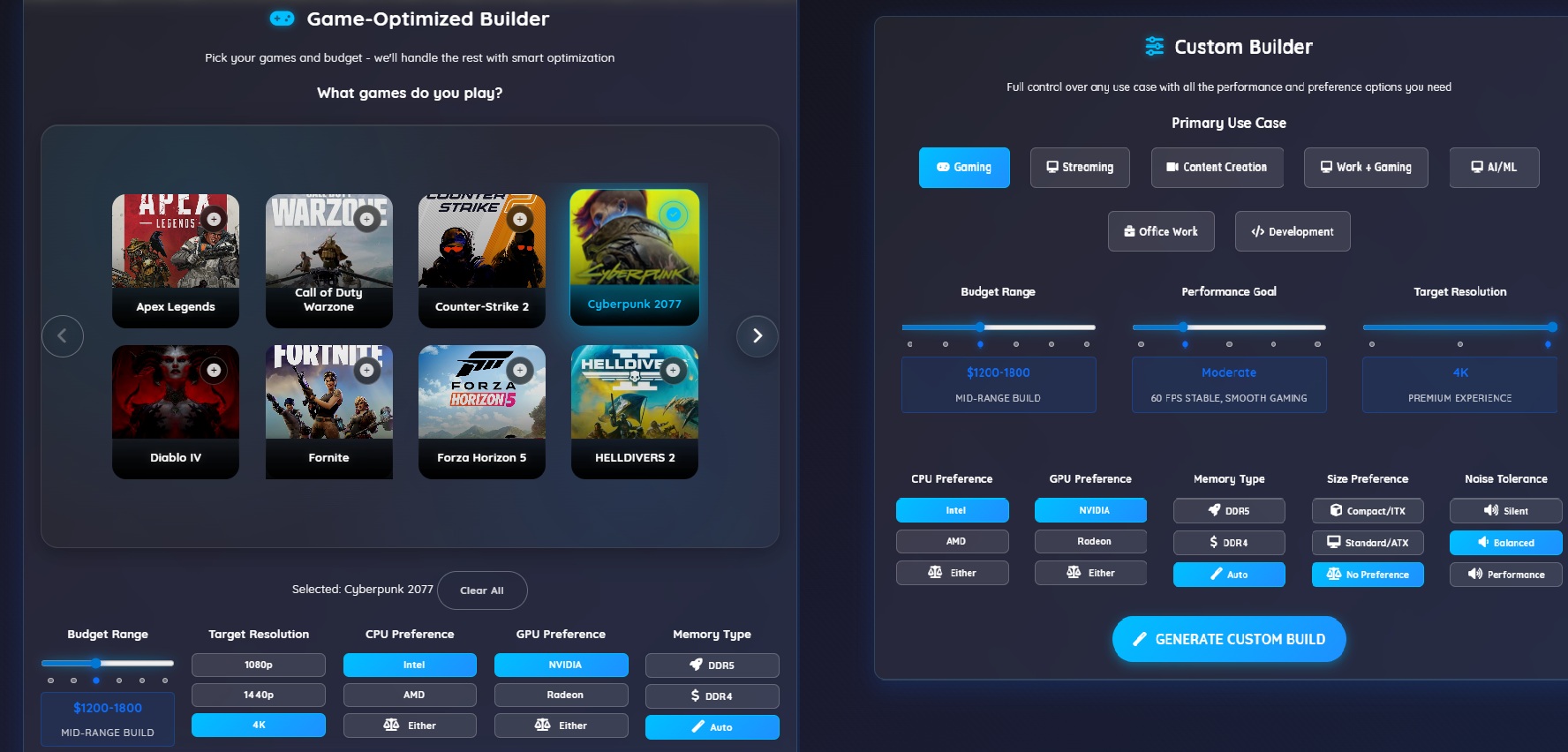
The Game-Based Builder asks the essential question: what games do you want to play? But it's not completely hands-off. You still get the important choices that actually matter for your build and budget.
What you control:
- Game selection - Pick your target games for performance optimization
- Budget range - From budget builds to enthusiast tier
- Target resolution - 1080p, 1440p, or 4K gaming
- Brand preferences - Intel vs AMD CPUs, NVIDIA vs Radeon GPUs, or let it choose
- Memory type - DDR4 for value, DDR5 for future-proofing, or Auto for budget optimization
What it does behind the scenes: Takes your games and resolution, figures out the exact performance targets needed, then optimizes every component choice within your budget. No guessing about CPU vs GPU balance.
When it works best:
- You have specific games in mind
- You want one "correct" answer, not 50 options
- You're new to PC building
When it doesn't:
- You want to do content creation or streaming
- You have strong brand preferences (all-AMD builds, etc.)
- You enjoy researching and comparing components
Custom Builder: For When You Want Control
Best for: People who know what they want, multi-use case builders, upgraders
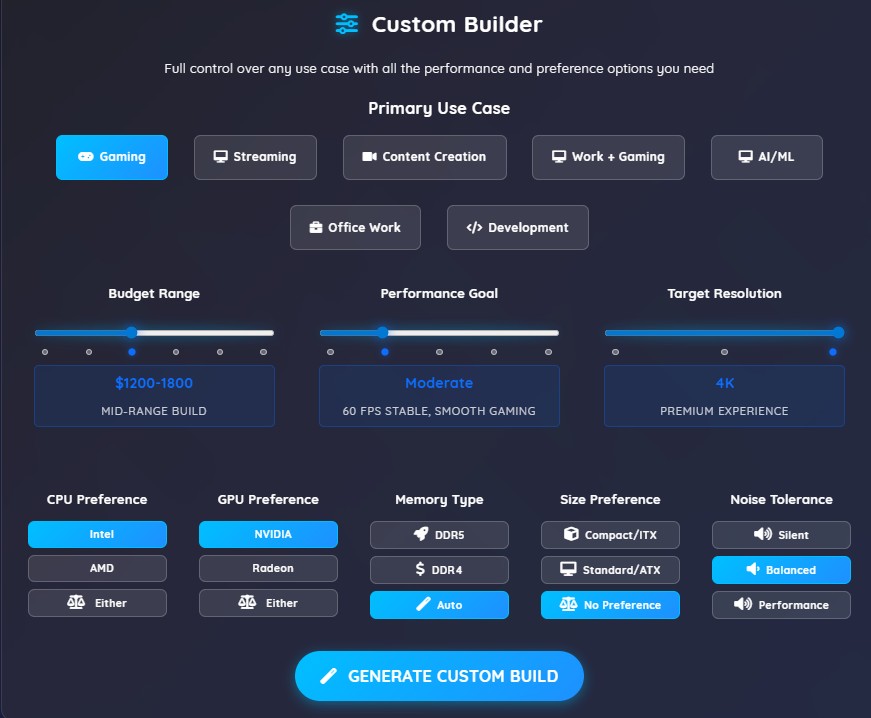
The Custom Builder gives you sliders and options for everything. Budget, performance level, use case, brand preferences, memory type - you set the priorities, it finds the optimal components.
What it does differently: Instead of assuming you're primarily gaming, it asks about your actual use case first. Gaming + streaming? Content creation? A professional workstation for AI/ML or 3D rendering? Work computer that can game? Each gets different component priorities.
When it works best:
- You have mixed use cases (gaming + work, streaming, etc.)
- You have brand preferences or requirements
- You want to understand the trade-offs you're making
- You're upgrading and need specific compatibility
When it doesn't:
- You get overwhelmed by too many options
- You just want to game and don't care about the details
- You're in a hurry and want quick results
The Real Difference: Decisions vs Results
Here's what I've learned watching people use both builders:
Game-Based Builder users want results. They don't want to learn about DDR4 vs DDR5 or CPU core counts. They want to know: "Will this play my games well?" It makes the technical decisions for you.
Custom Builder users want to make decisions. They enjoy comparing options, understanding trade-offs, and having control over the final result. The builder helps them make informed choices rather than making choices for them.
Neither approach is "better" - they solve different problems.
My Recommendation
Start with Game-Based if:
- You're new to PC building
- You primarily game
- You want to learn gradually
Use Custom Builder if:
- You have mixed use cases
- You enjoy the research process
- You have specific requirements or preferences
- You're upgrading an existing system
Try Component Browser if:
- You're an enthusiast who enjoys the deep dive
- You want to see every available option
- You're building something very specific
The Bottom Line
Both builders use the same compatibility engine and performance database. Game-Based just automates more decisions to get you building faster. Custom Builder exposes those decisions so you can make them yourself.
Most people should honestly start with Game-Based Builder. If you find yourself wanting more control over specific choices, that's when Custom Builder makes sense. You can always switch between them - your selected components carry over.
The difference between using the "perfect" builder and the "good enough" builder is usually just how comfortable you feel during the process. Your final PC will perform the same either way.
Ready to find out which builder fits your style? Try both approaches and see which one feels right for your next build.
Already know what you want? Jump straight into our component browser for expert-level control over every component choice.
Comments (0)
No comments yet. Be the first to share your thoughts!